kdrhndev FiveM Development

kdrhndev

Your server. More possibilities.

Scripts that bring new ideas to your city. Explore the kdrhndev collection and find your next addition.

Explore ›
Featured scriptsView all→
Kdrhn Loading Screen

Kdrhn Loading Screen

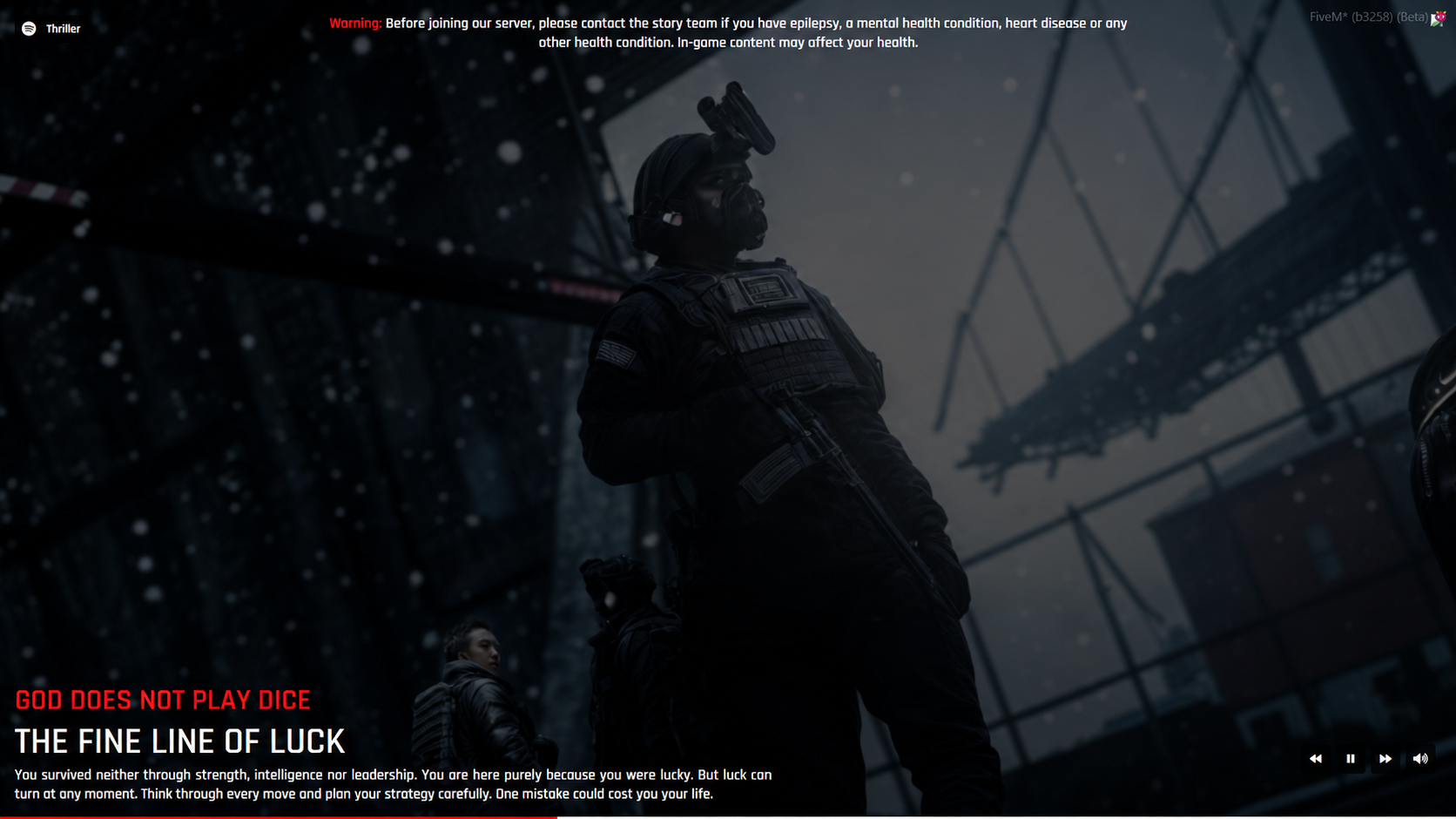
Kadirhan Loading | Zombie-Themed FiveM Loading Screen

Set the atmosphere before your players enter the server. Designed for zombie, survival and post-apocalyptic communities, Kadirhan Loading combines dark visuals, smooth transitions and survival tips in a clean interface.

Features

  • 12 background slides with matching titles and descriptions.

  • Shuffled slideshow with smooth fade transitions.

  • Turkish and English language support, selected through configuration.

  • Music player with play/pause, previous/next track, volume and mute controls.

  • Progress bar that follows FiveM loading progress.

  • Editable health warning.

  • Customizable images, text, music and interface colors.

Available free of charge. After claiming the package, access the resource through your Cfx.re Portal account.

$0.00
KdrhnDev Global Market — Player Sales & Item Trading

KdrhnDev Global Market — Player Sales & Item Trading

KdrhnDev Global Market

Player sales and item-for-item trading in one shared marketplace.

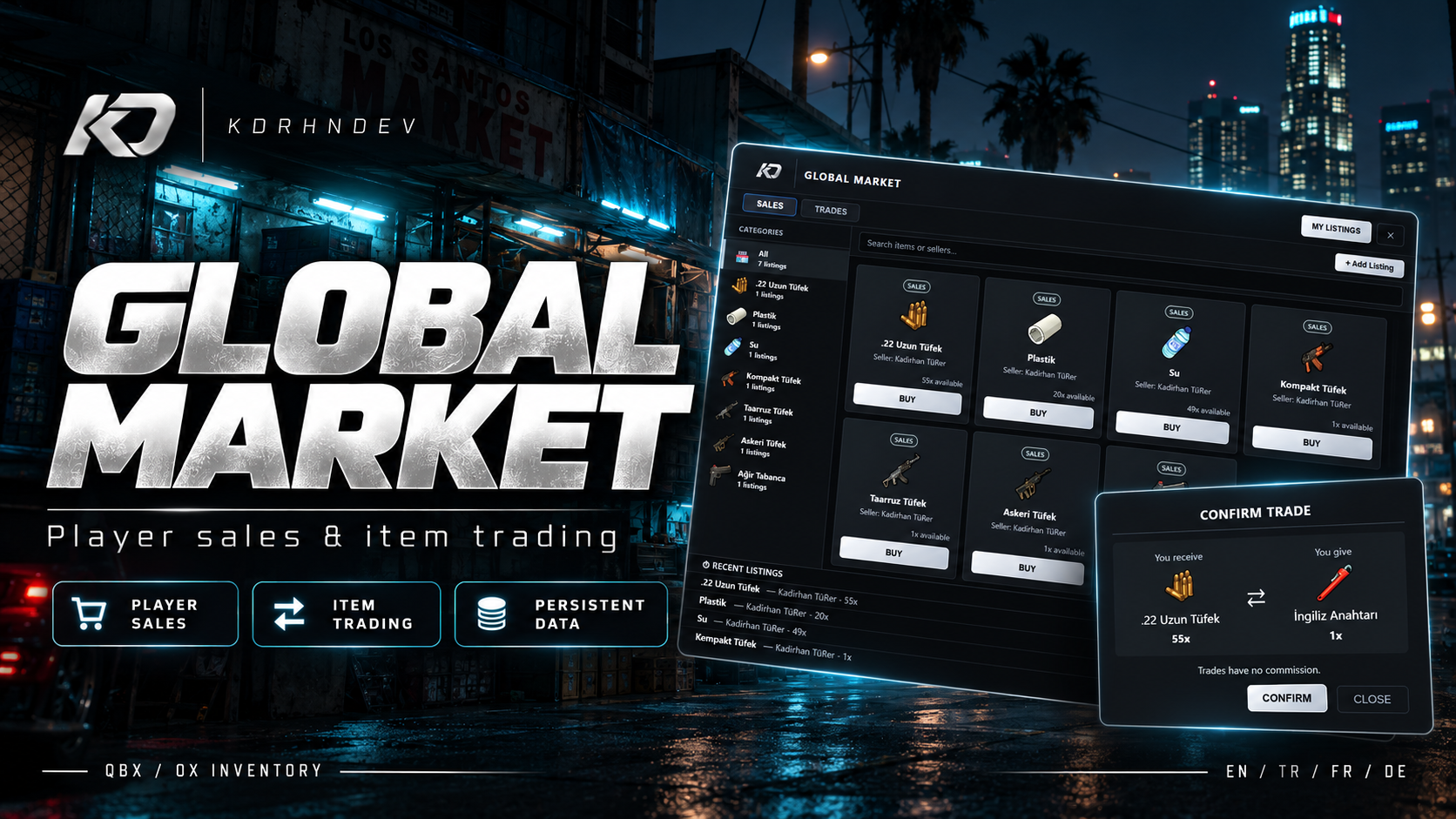
Give your FiveM community a dedicated place to buy, sell and trade inventory items. Global Market combines a dark anthracite and silver interface with item categories, seller search, stock information and clear confirmation screens. Built for a QBX + ox_inventory setup, with four supported languages and configurable server branding.

Sell Individually or in Bulk

Players can create per-item sale listings or offer their entire stock as a fixed-price bundle. Buyers can review the seller, available quantity and pricing before confirming a purchase. Per-item listings support quantity selection and display the total payment.

Trade Items Without Cash

Create an offer by choosing the item and quantity to give, then specify what you want in return. The trade confirmation screen displays both sides of the exchange so players can review exactly what they receive and give. Item trades do not incur the sales commission.

Manage Listings, Earnings and Deliveries

My Listings brings active sales, trade offers and pending items together. Sale proceeds remain available in the market balance even when the seller is offline. Trade rewards, items from removed listings and pending refunds can be collected through My Items.

Key Features

  • Per-item and bulk sale listings with stock and quantity management.
  • Commission-free item-for-item trades with confirmation screens.
  • Item categories, item/seller search and recent listings.
  • Personal listing management, market balance and item collection.
  • Persistent listings, earnings and pending deliveries stored in the database.
  • Slot and metadata preservation for new listings, including item-specific data such as serial numbers.
  • NPC interaction through ox_target, configurable NPC locations and map blips.
  • Configurable sales commission, per-player listing limits and per-listing quantity limits.
  • Turkish, English, French and German, each with a separate editable language file.
  • Custom server logo support: replace logo.png with your own image.
  • Configurable Discord webhook logging for market events.
  • Server-side distance, ownership, quantity and inventory validation, with a lock against concurrent write operations.

Requirements & Compatibility

  • Target setup: QBX (qbx_core) + ox_inventory.
  • Dependencies: ox_lib, oxmysql and ox_target.
  • OneSync enabled and a working MySQL/MariaDB connection.
  • A currency item defined in your inventory. The default is money.

Additional QBCore and ESX adapter options are included in the code. These alternatives have not received separate live compatibility verification; this listing targets the QBX + ox_inventory setup.

Configuration & Important Notes

Configure the language, NPC locations, currency item, commission and limits to match your server. Required database tables are created when the resource starts. The distribution contains no preconfigured privileged player identifiers or Discord webhook URLs; webhook logging is disabled until you configure it.

Item names, images and availability depend on your inventory. Changing the interface language does not automatically translate inventory item labels. Screenshots show the current interface with example items, prices and seller information.

After an unexpected interruption, incomplete transactions are not automatically retried. Administrator review of the persistent operation log may be required before market transactions resume.

Bring player sales and item trading together in one market for your server economy.

$5.00
KDRHNDEV — Texture Replaces

KDRHNDEV — Texture Replaces

Customize your server’s appearance from one management panel.

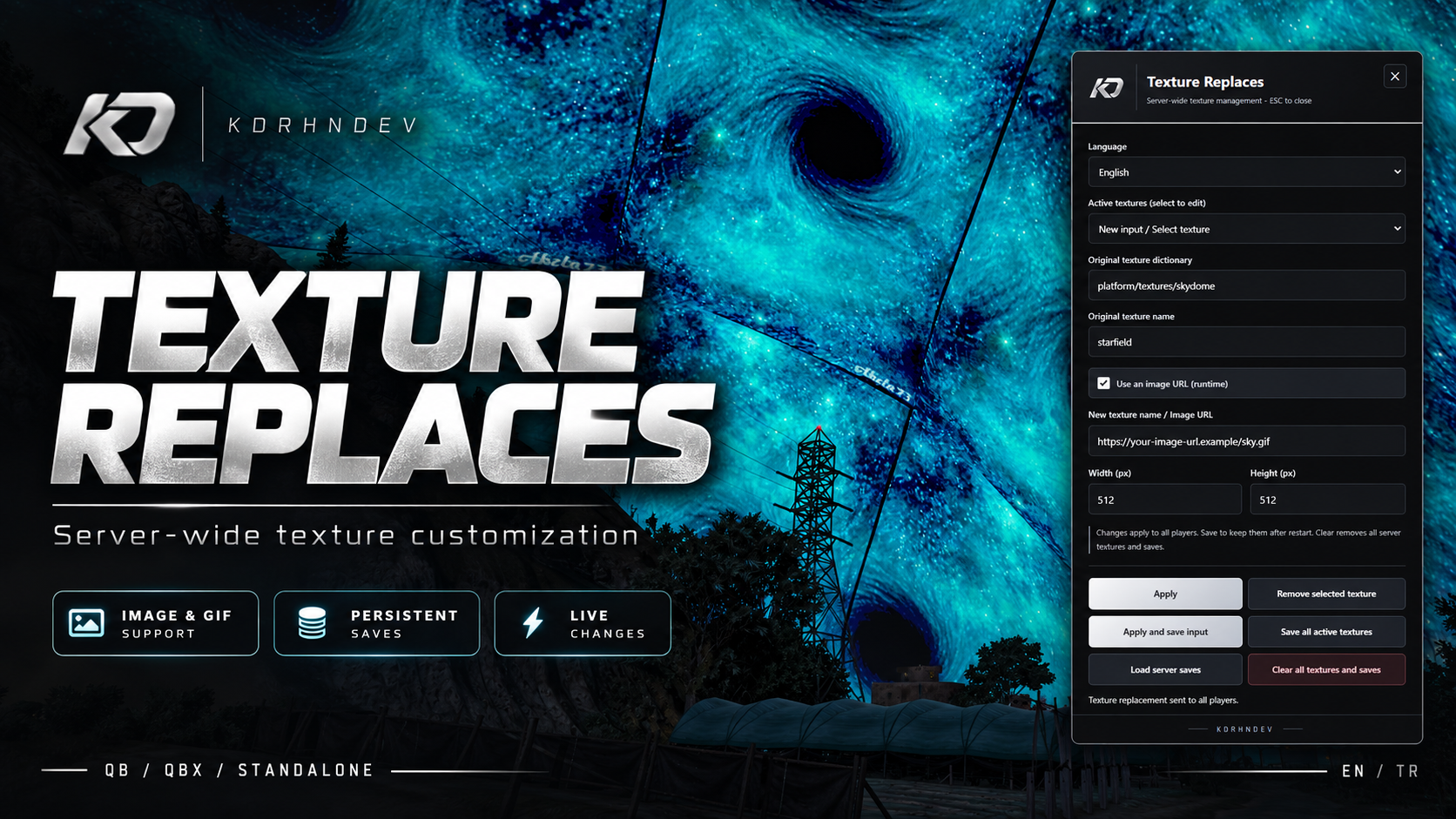
Texture Replaces is a FiveM administration tool that lets you replace game textures with direct image URLs, animated GIFs, or your own streamed textures.

Give the night sky’s star layer a different look, display custom advertisements on billboards, or adapt compatible object and screen textures to your server’s theme. Apply changes through the in-game panel, inspect the result, and save your preferred setup permanently.

Key features

  • Image URL and GIF support: Use direct links to PNG, JPG, WebP, and animated GIF images.
  • Streamed texture support: Apply replacement textures from your own YTD files.
  • Server-wide distribution: Active replacements are sent to connected players and players who join later.
  • Persistent storage: Save an individual entry or the complete active list and load it again.
  • Simple management: Edit replacements, remove individual targets, or clear the entire list.
  • QB, QBX, and standalone support: Automatic framework detection.
  • Flexible permissions: Identifier, ACE, or framework-based administrator access.
  • English and Turkish interface: Language preferences saved separately for each player.
  • Customizable appearance: Silver/anthracite panel with a replaceable server logo.
  • Detailed English documentation: Installation, practical examples, configuration, and troubleshooting.

No additional SQL setup or separate frontend library is required.

No ready-made texture pack is included. Users supply their own artwork and the correct target texture names. Replacements affect surfaces sharing the same texture; this is not a per-object customization system. The sky example replaces the star layer.

$0.00
Recent paymentsLive · Tebex
No completed purchases to display yet.

Recent paid purchases will appear here automatically.

Top customerThis year
No top customer yet.

This year’s top supporter will appear after a completed paid purchase.

My Projects
DeadCityFiveM projectProject
Project GladeFiveM projectProject
Soon
Soon
Soon
Soon
Soon
Soon
How do I purchase a script?

Open its product page, review the requirements, and add it to your basket. Follow Tebex’s sign-in and checkout steps to complete your purchase.

Where will I receive my purchase?

For products delivered as FiveM assets, use the Cfx.re account associated with your purchase to access your assets. Follow the delivery instructions on the product page and in your purchase confirmation.

Which frameworks are supported?

Compatibility is product-specific. Check each product page for supported frameworks, dependencies, and installation requirements before purchasing.

How do I get my Customer role?

Use your own Discord account when prompted during purchase, and join our server. If your role is missing, open a purchase support ticket with your Tebex transaction ID.

How do I request support?

Join our Discord and use the open-ticket channel. Include the product name, a clear explanation, and relevant screenshots or error logs. Remove passwords, tokens, and personal data before sharing logs.